Search anything. Apply it instantly.
Effects, transitions, presets, commands, and tools, applied or opened instantly.
Search and instantly apply effects, transitions, and presets. Run powerful commands and tools. Assign anything to a keyboard shortcut.
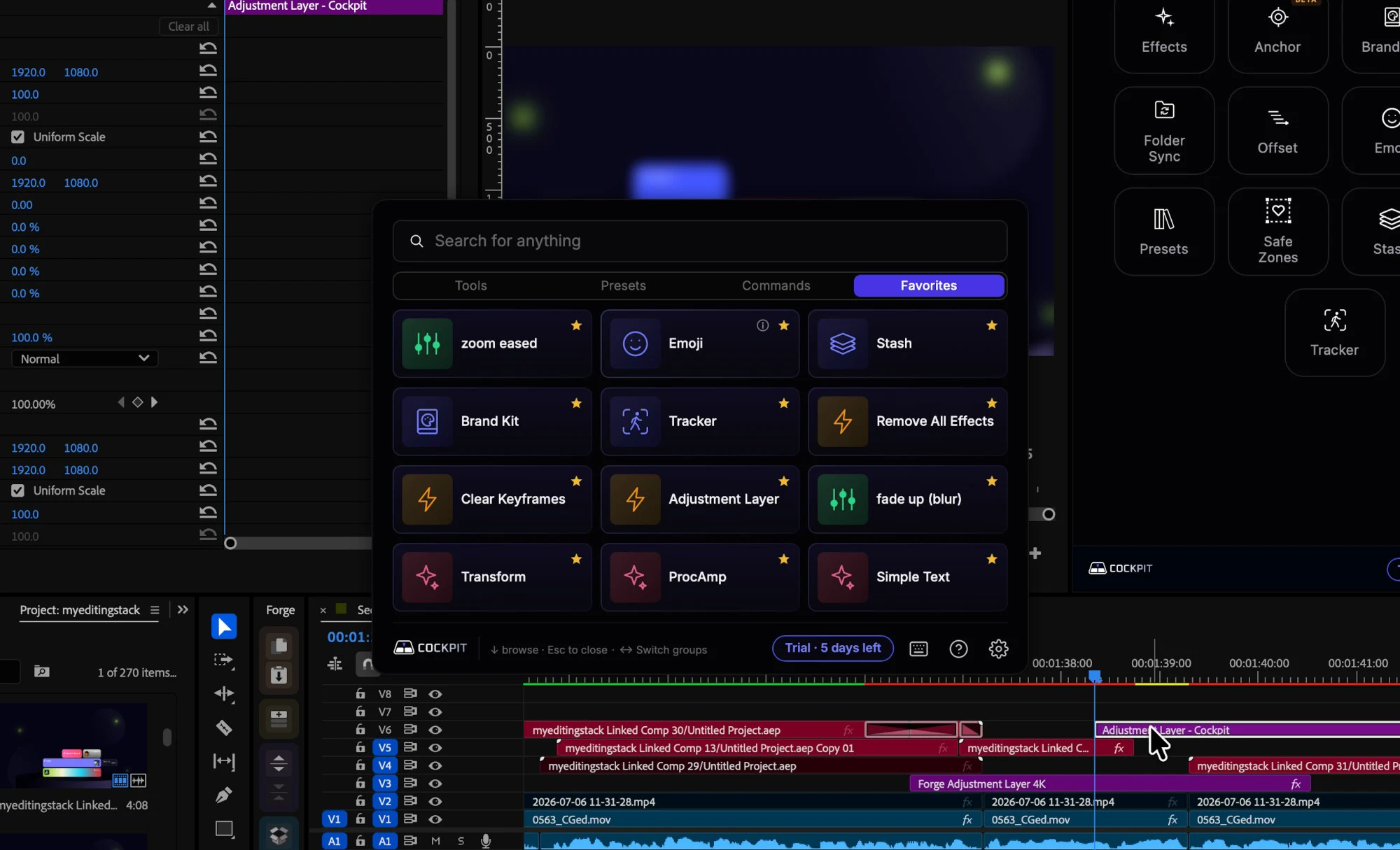
Cockpit isn't just a bunch of random buttons. It's a control surface for Premiere, where every action is easily reachable.
Effects, transitions, presets, commands, and tools, applied or opened instantly.
Tools Premiere never had, or that used to be separate plugins, now in one place.
Examples
Star the tools, effects and presets you use most for a one-click dashboard.
Pick how much you edit. Here's what all those small savings add up to.
hours back every week
About 140 hours a year, or 17 full workdays.
That time is worth about $582 a month.
At $4.99/mo, Cockpit pays for itself in your first 6 minutes saved.
40min / week
300 times a week
15min / week
125 times a week
18min / week
150 times a week
28min / week
75 times a week
75min / week
12 times a week
Estimate based on typical editing habits, not measured data.
Cockpit includes a growing suite of time-saving tools that automate or simplify entire editing workflows. No more buying and installing a stack of separate utilities, each with its own price tag.
All 15 tools are included in every plan and the free trial, and new ones are added regularly.
Free for 14 days, no card required. Then subscribe and cancel anytime, or buy once and own it for life.
Per license
$0
Per license
$4.99/mo
Per license
$74.99once
No. The 14-day trial gives you full access to everything, and no card is required.
Yes. Cockpit works on both macOS and Windows, so the same workflow follows you whichever platform you edit on. It opens with ⌥ Space on Mac and Alt + Space on Windows, and you can change the shortcut.
Cockpit is built natively for modern Premiere Pro and runs as a panel inside Premiere Pro 25.6 and later.
Yes. Premiere's built-in shortcut system can't bind individual effects or presets. Cockpit can bind effects, transitions, presets, commands and tools, so the actions you use most don't even need the palette.
The palette lives in a small desktop app that floats above Premiere, so it opens instantly wherever you are. The tools live in the Cockpit panel inside Premiere.
To keep using Cockpit, subscribe for $4.99/month or buy it once for $74.99 and own it for life.
Yes. Lifetime is $74.99 one time to own Cockpit for life, including every tool and update we release.
Each license covers 2 machines, like a home and a travel setup, or a Mac and a Windows PC. To move a license to a new machine, deactivate it on one of your current ones first.
The 14-day free trial is there so you can try everything before you pay, so purchases after a trial are final. If you buy Lifetime without trying it first, you can ask for a full refund within 14 days. Monthly plans aren't refunded, but you can cancel anytime and keep access until the end of the month.
Press it anywhere in Premiere and Cockpit opens.
macOS and Windows
One place for every effect, preset, command and tool, built to eliminate repetitive work and keep you editing. Free for 14 days, no card required.